Read & listen · On-device AI · No INTERNET permission

Your books, read aloud by an AI that can NOT go online.

Kenosis AI reads your ePub and PDF library aloud, answers questions about it, and chats on-device, with no internet permission.

No account. No upload. Microphone only when you choose voice. English · Deutsch · Français.

Features

Every built-in feature runs entirely on-device.

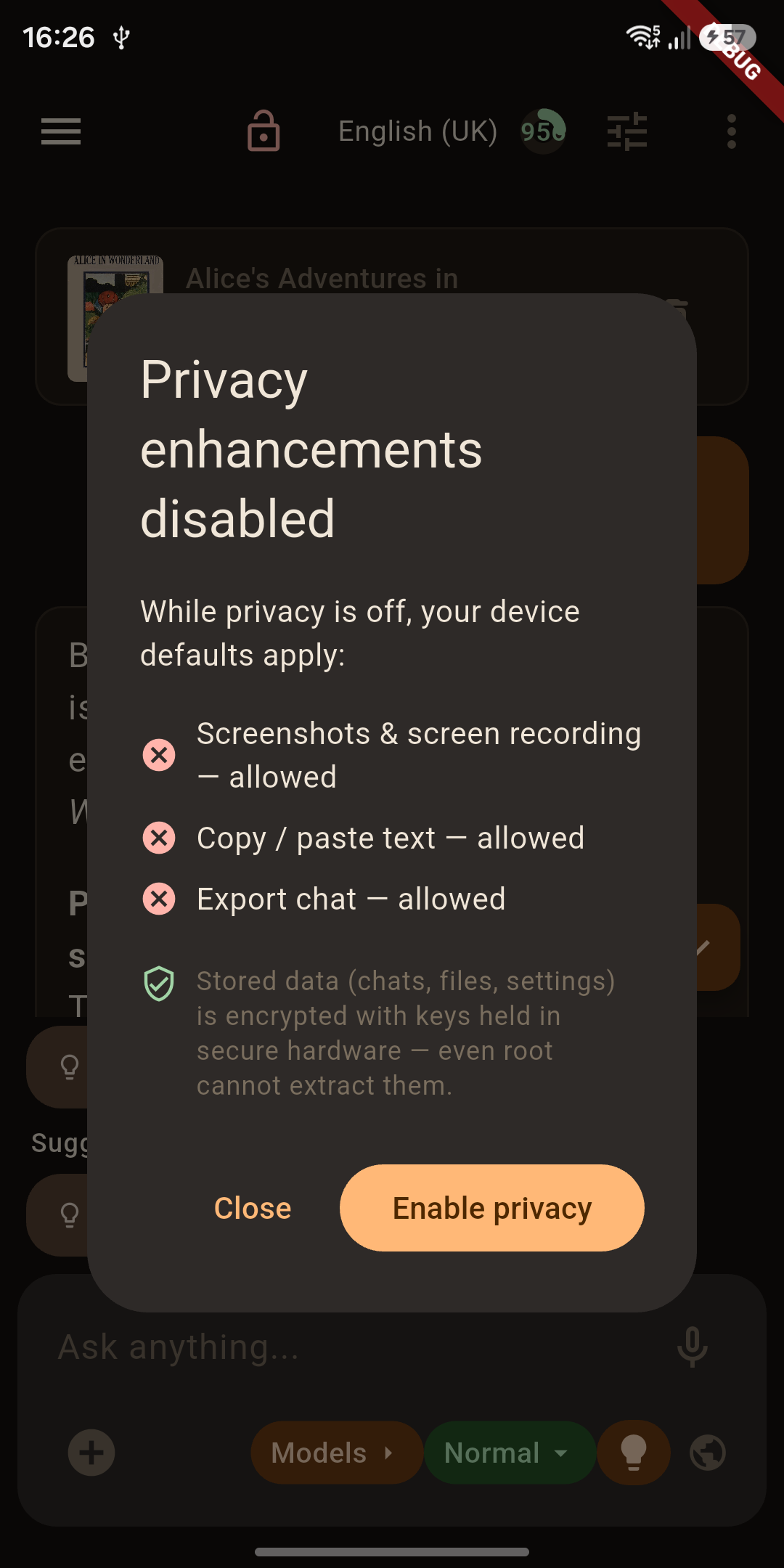
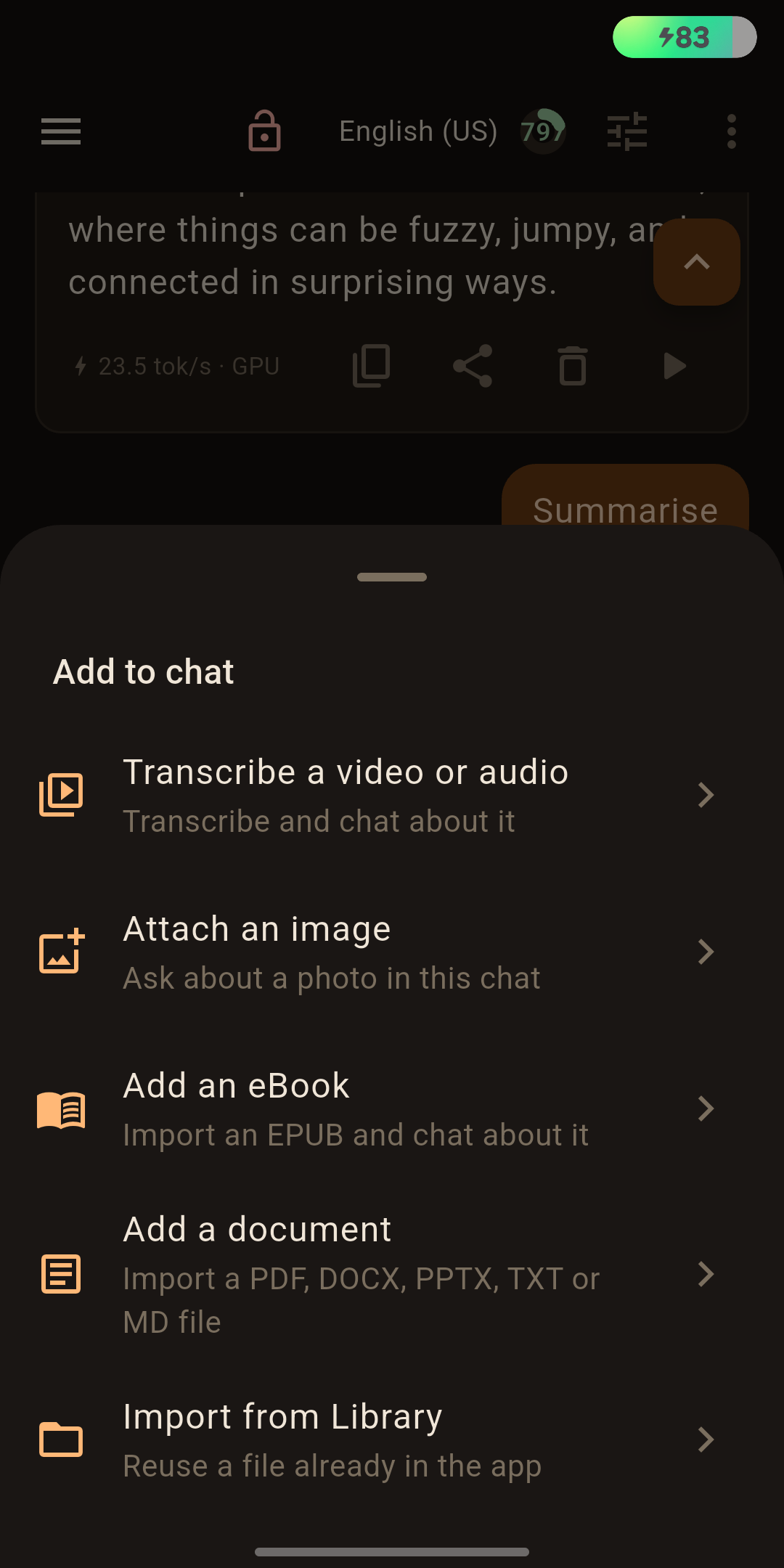
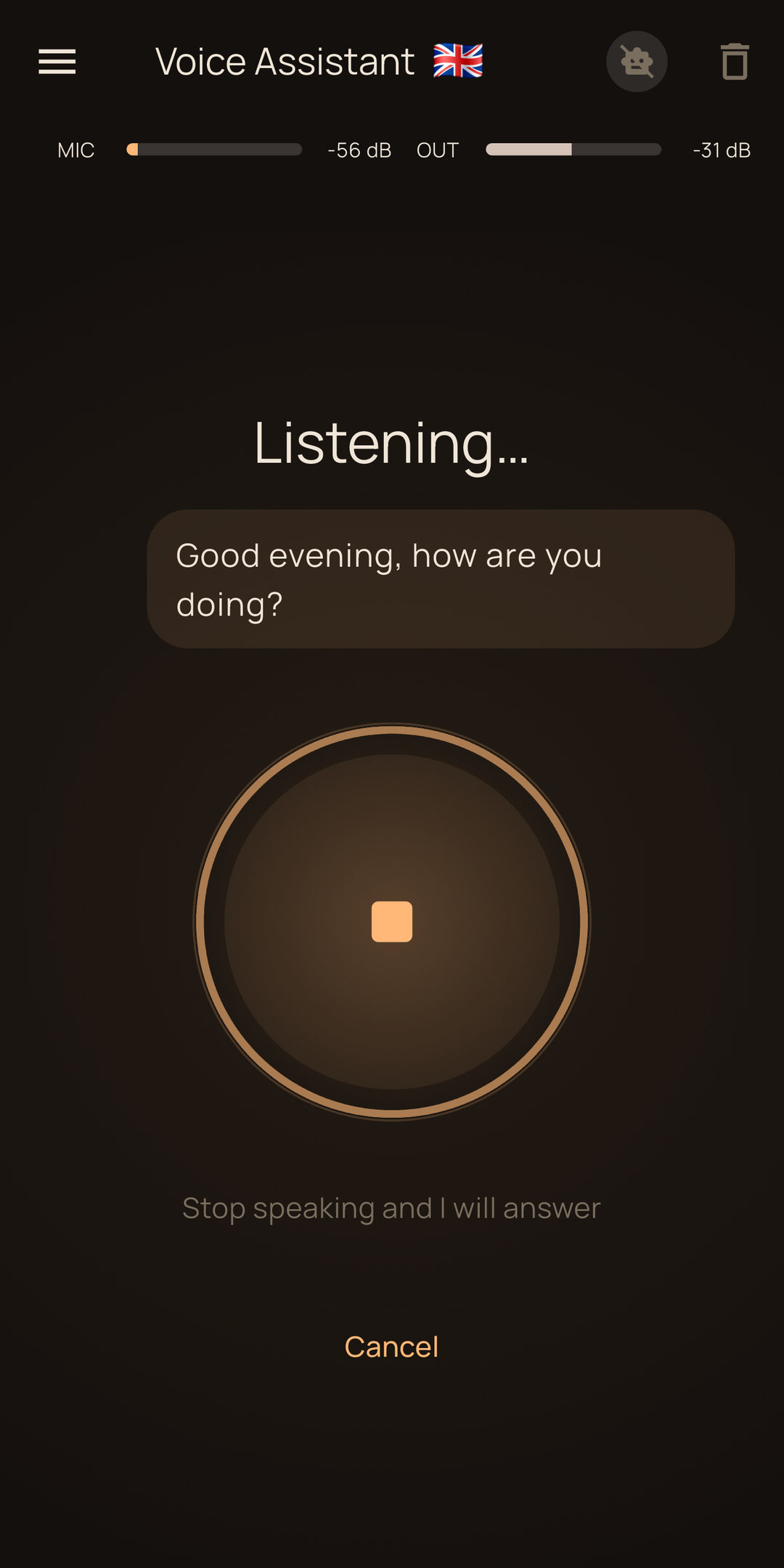
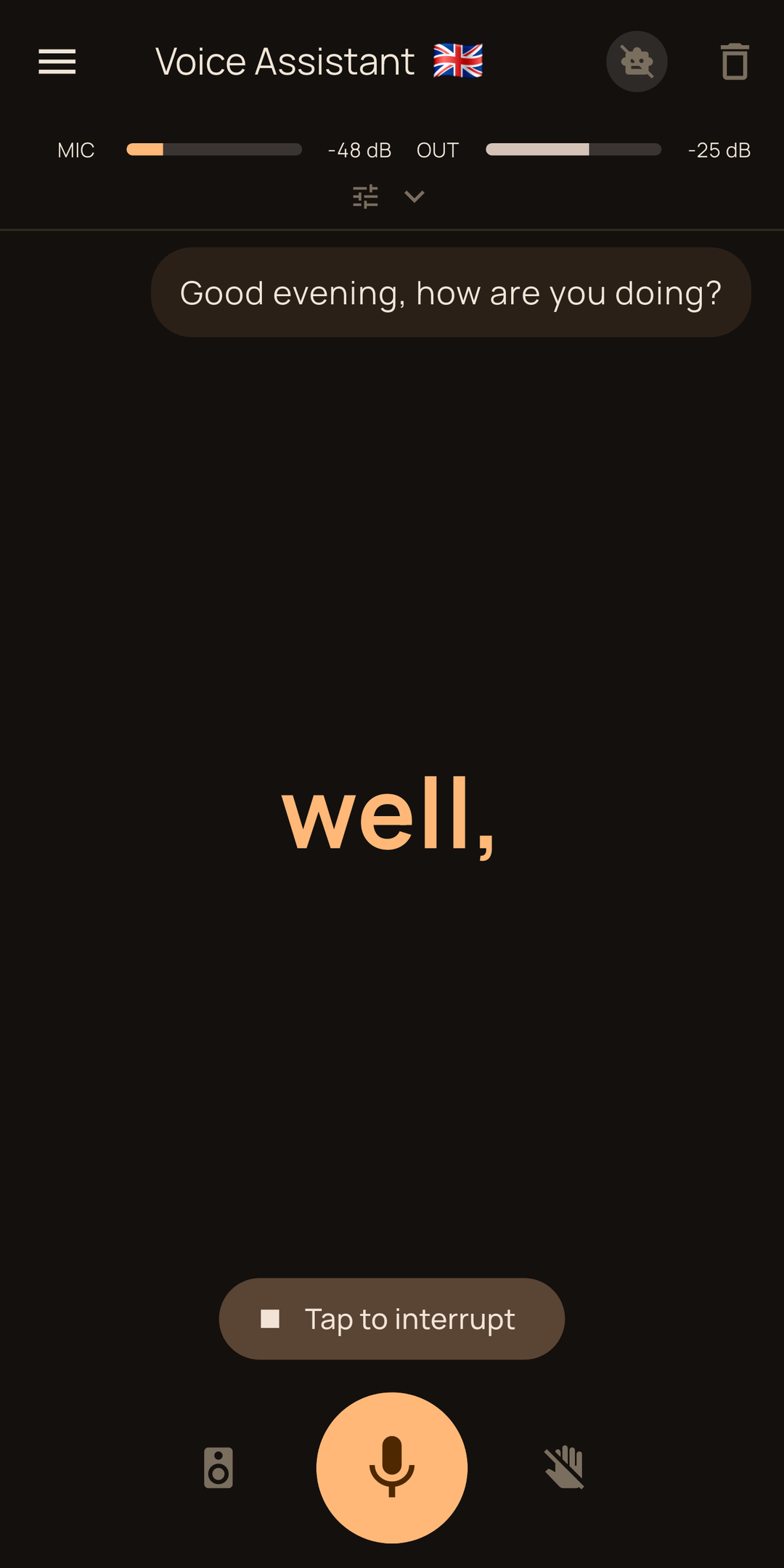
AI chat, fully offline: animated demo with suggested follow-ups Add to chat : video, audio, images, e-books, PDF and Office docs Voice assistant listening: mic and output meters with the live transcript in the middle Voice assistant answering, one spoken word at a time, with tap to interrupt
💬

AI chat & voice

Chat with a local LLM that runs entirely on your phone, even in airplane mode. Suggested follow-ups keep the conversation going, and attached images are read by Ask Image, OCR plus chat about the picture. Dictate into the message field fully offline, or use Translate mode: pick the language you speak and the language to translate into, with the transcript above the translation and both replayable. Hands-free voice conversation is in Beta. Nothing you say or type leaves the device.

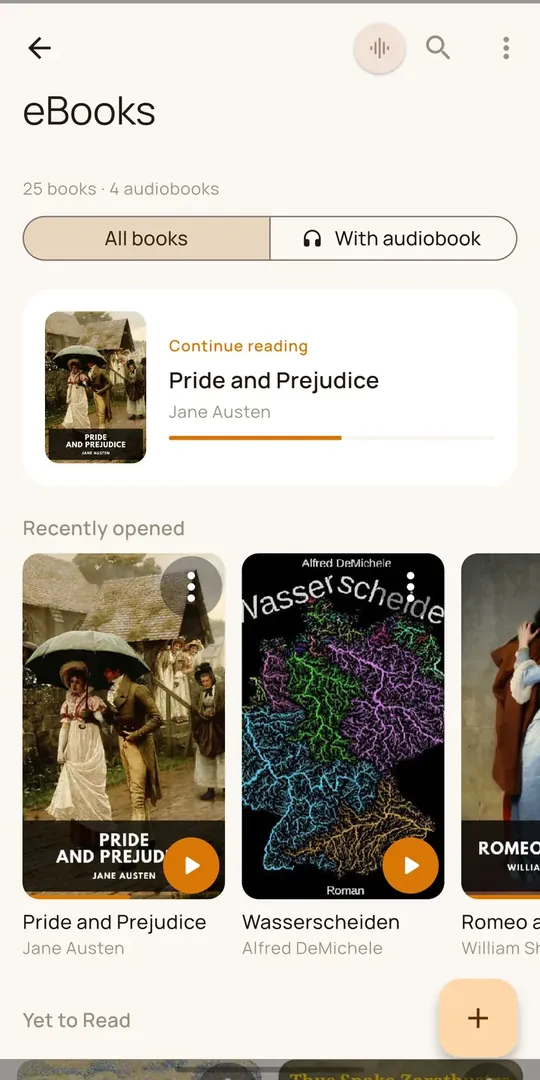
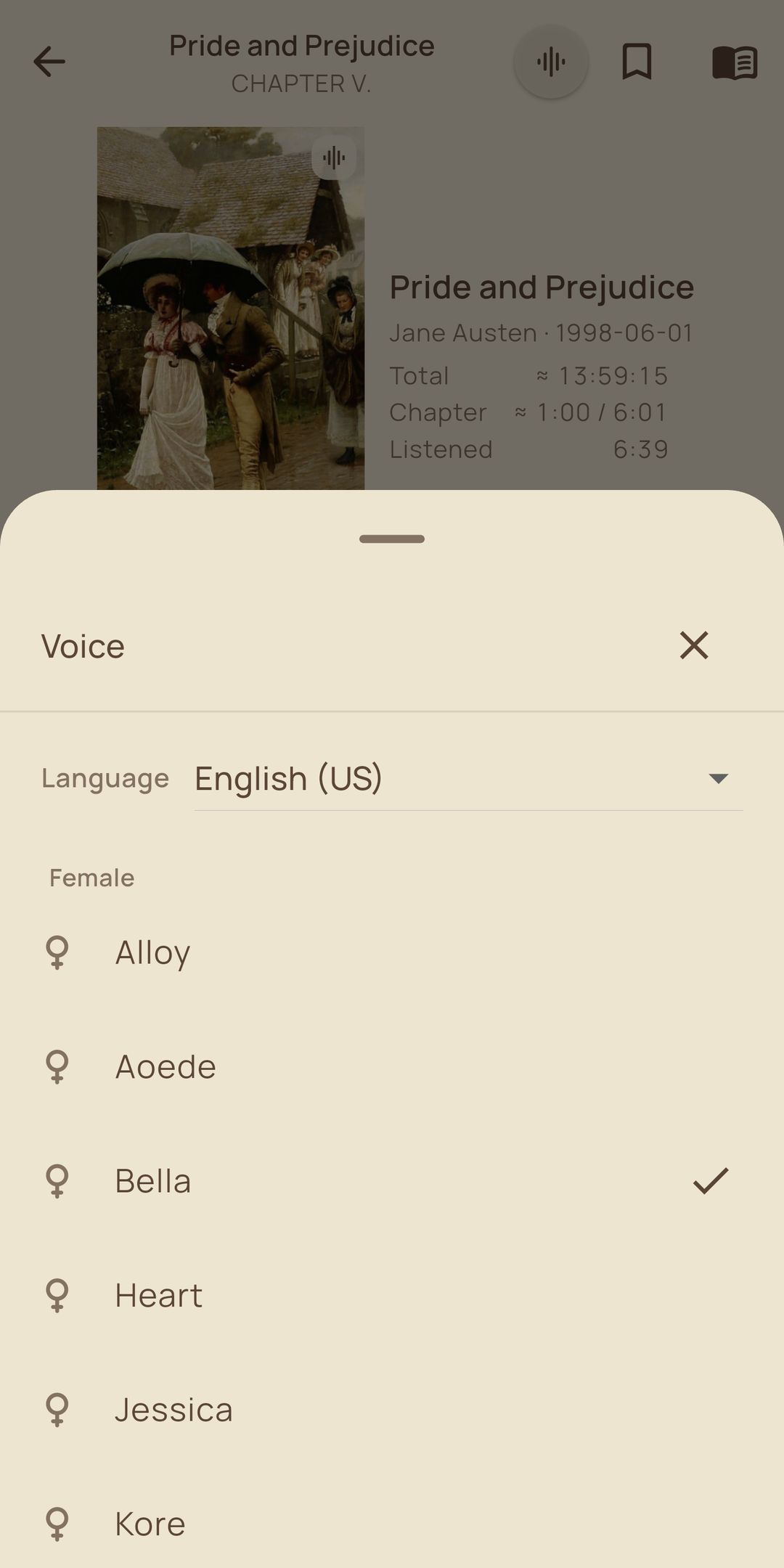
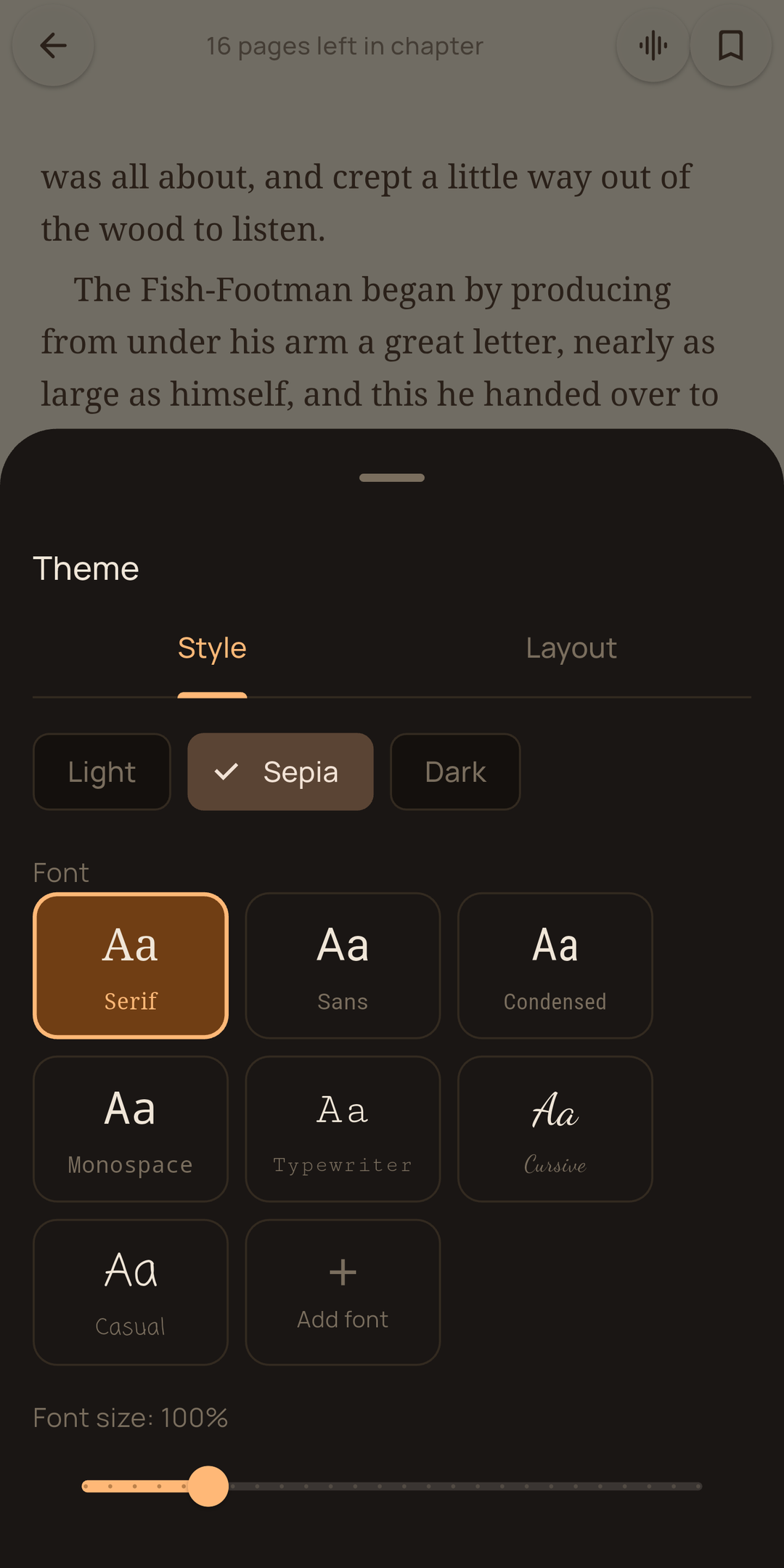
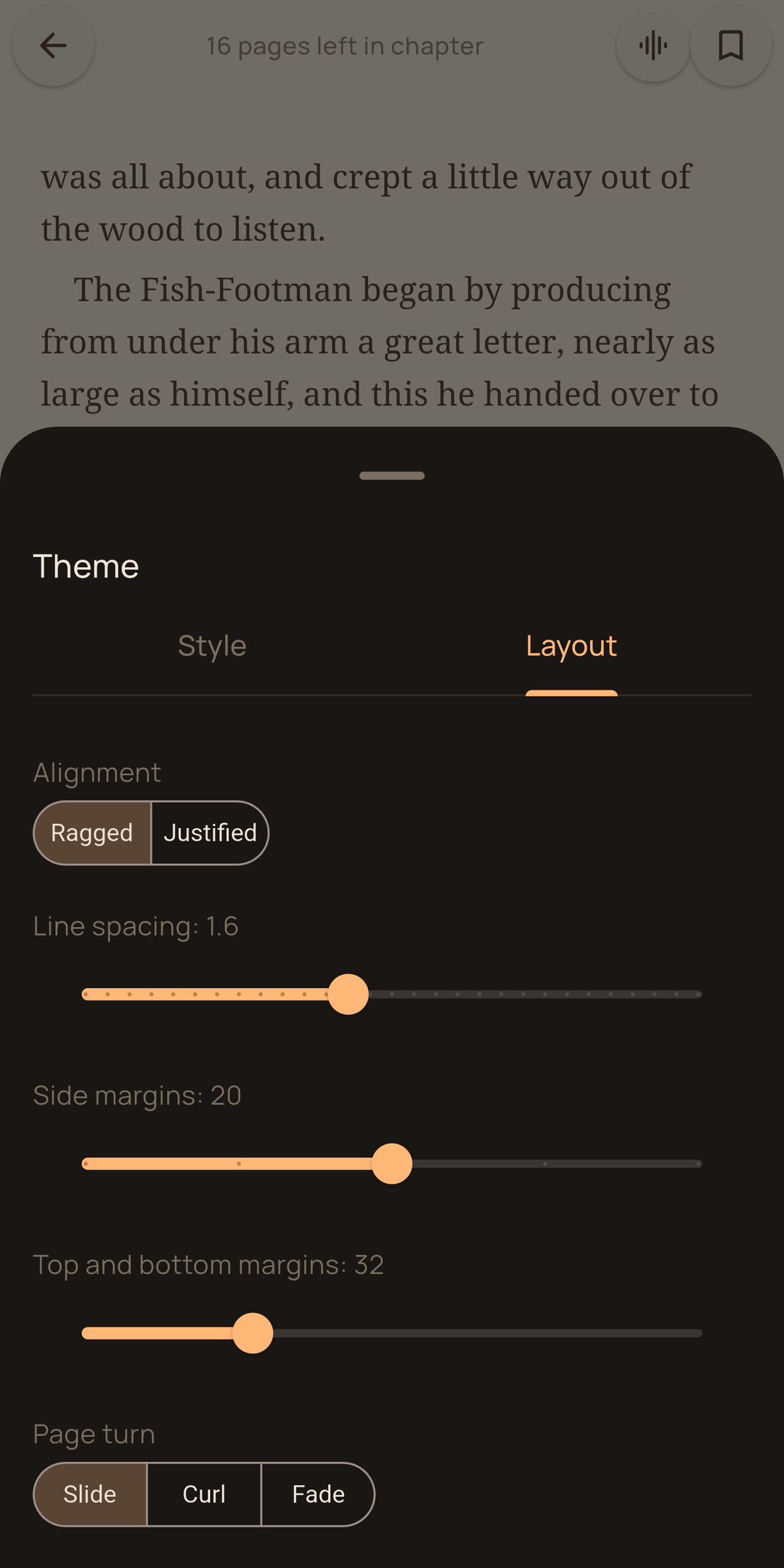
eBook library in Kenosis AI: continue-reading card, recently opened books, audiobook counts Read-aloud narrator picker: language and female voices, Bella selected Reader theme sheet: sepia and serif selected, sans, condensed, typewriter and more, with Add font Reader layout sheet: ragged or justified alignment, line spacing, side margins and the Slide, Curl, Fade page turns
📚

Read & listen

A library with recently opened books, a Yet to Read shelf, authors and sorting. Read full-screen with one floating bar: Contents that follows your place, footnotes in a popup, tappable links and the book's own illustrations. Make the page yours, ragged or justified text, Slide, Curl or Fade page turns, five margin steps, and fonts from your phone or your own files. Read-aloud includes a narrator picker beside speed.

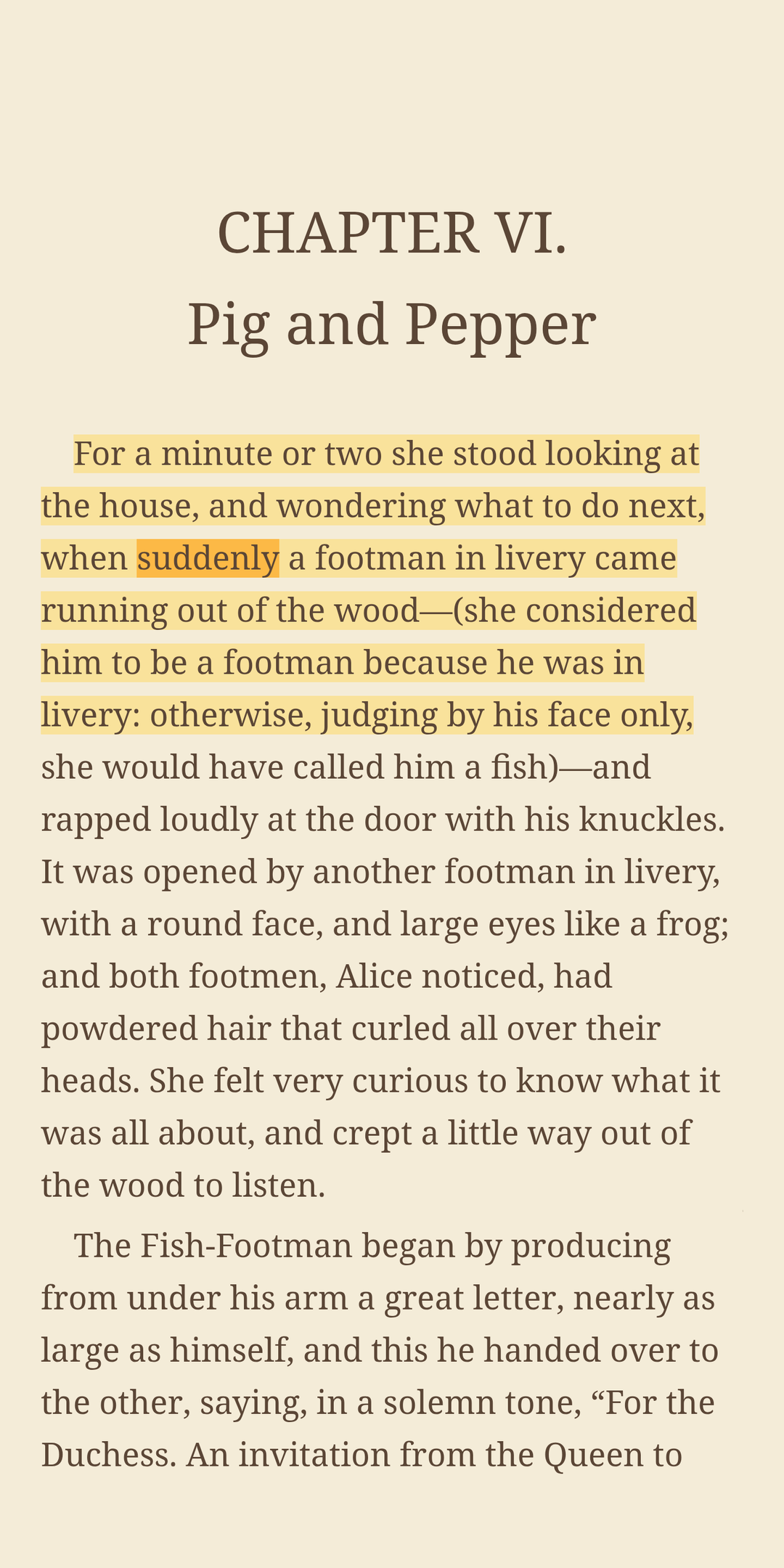
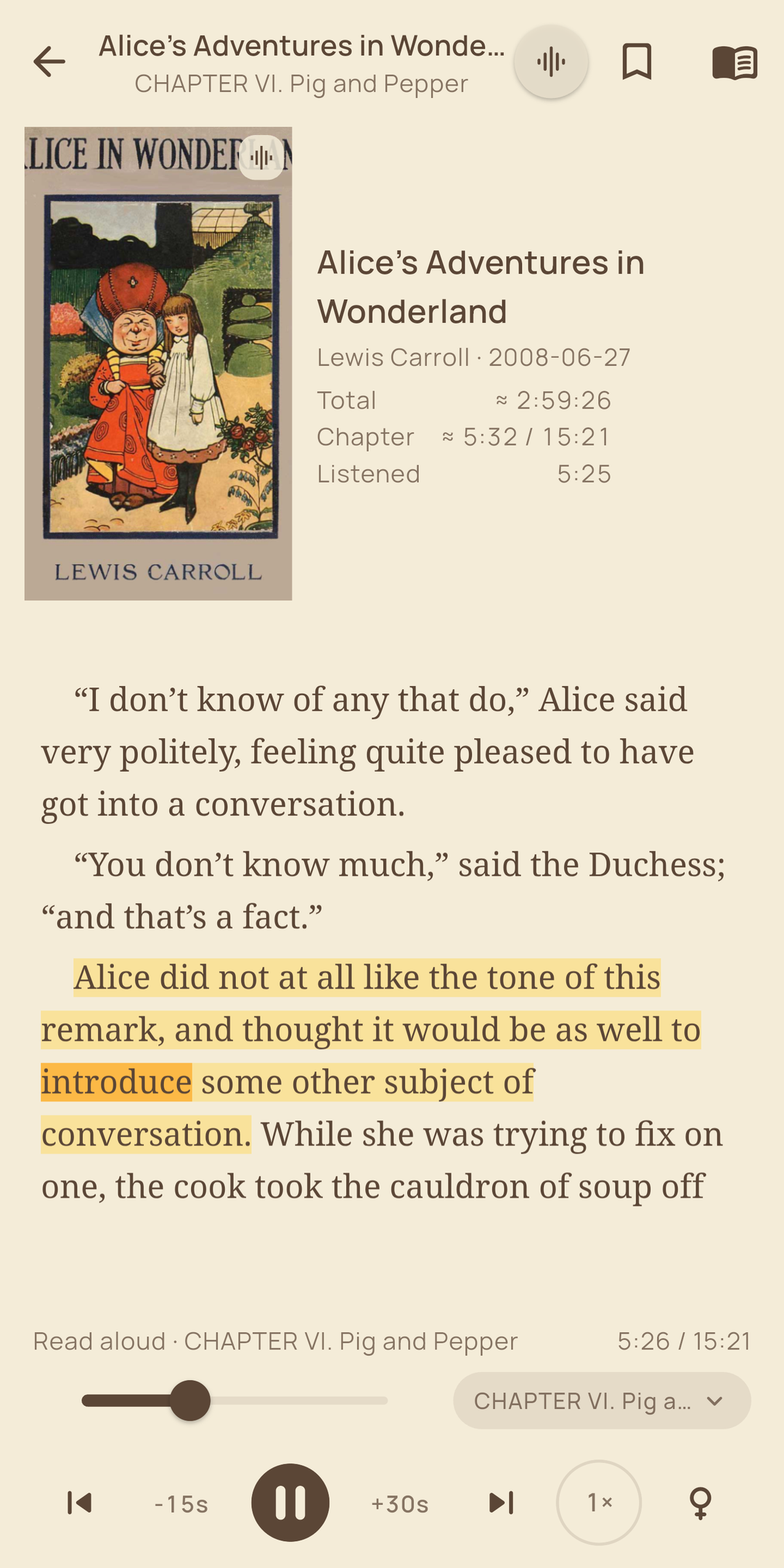
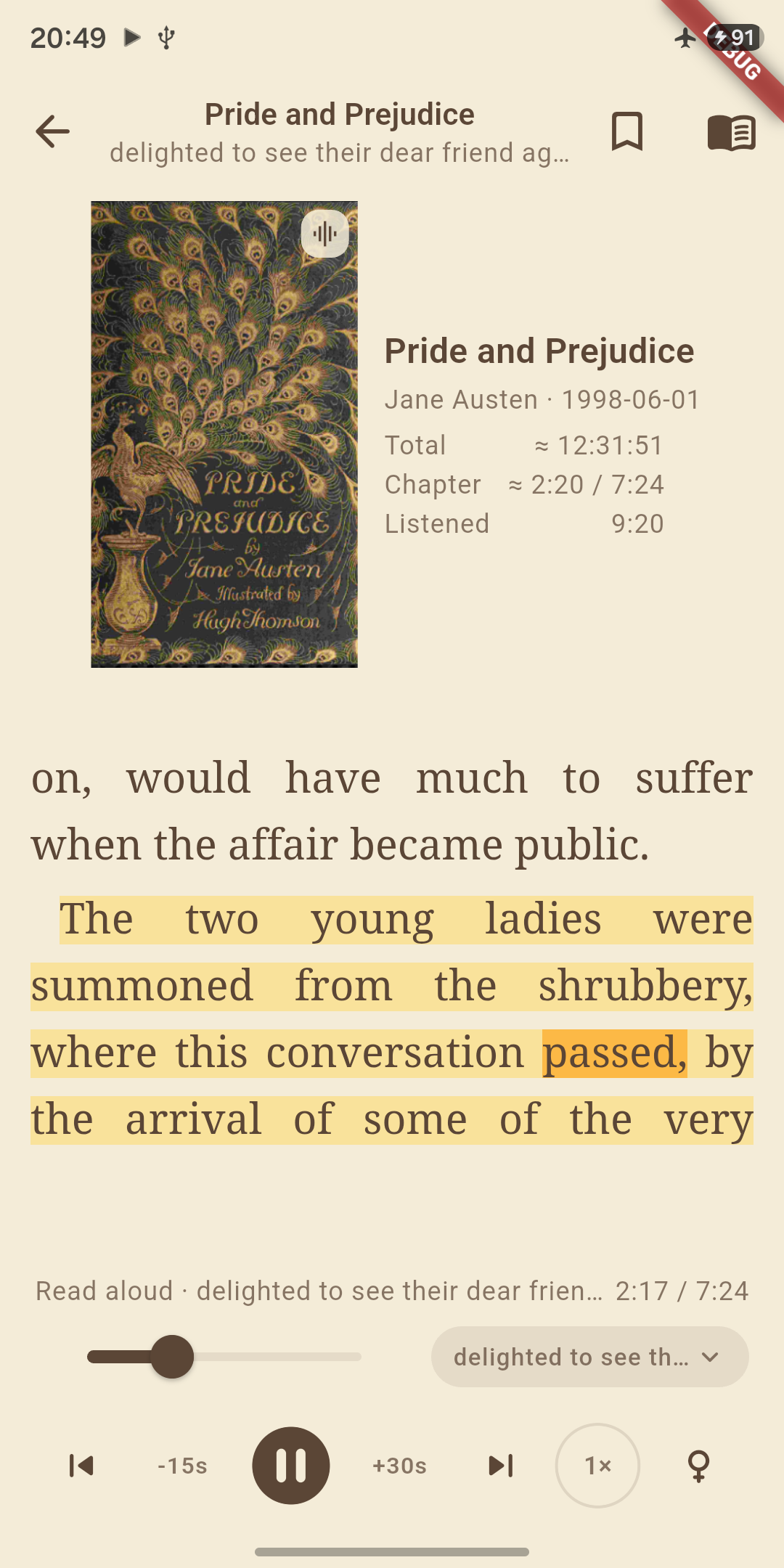
Immersive view: the audiobook narration highlighted word by word on the page as you listen Read-aloud player in the reader: the spoken sentence highlighted, chapter progress and the playback bar below
🎧

Audiobooks that read along

Import audiobooks your way, a single MP3 or AAC file, or a ZIP. The book follows the voice: the narrated sentence is highlighted as you listen, and play starts at the page you are reading. Chapters become playable while the rest transcribes in the background, and stopping is only a pause, the next run picks up exactly where it left off, even after a restart. Fully offline.

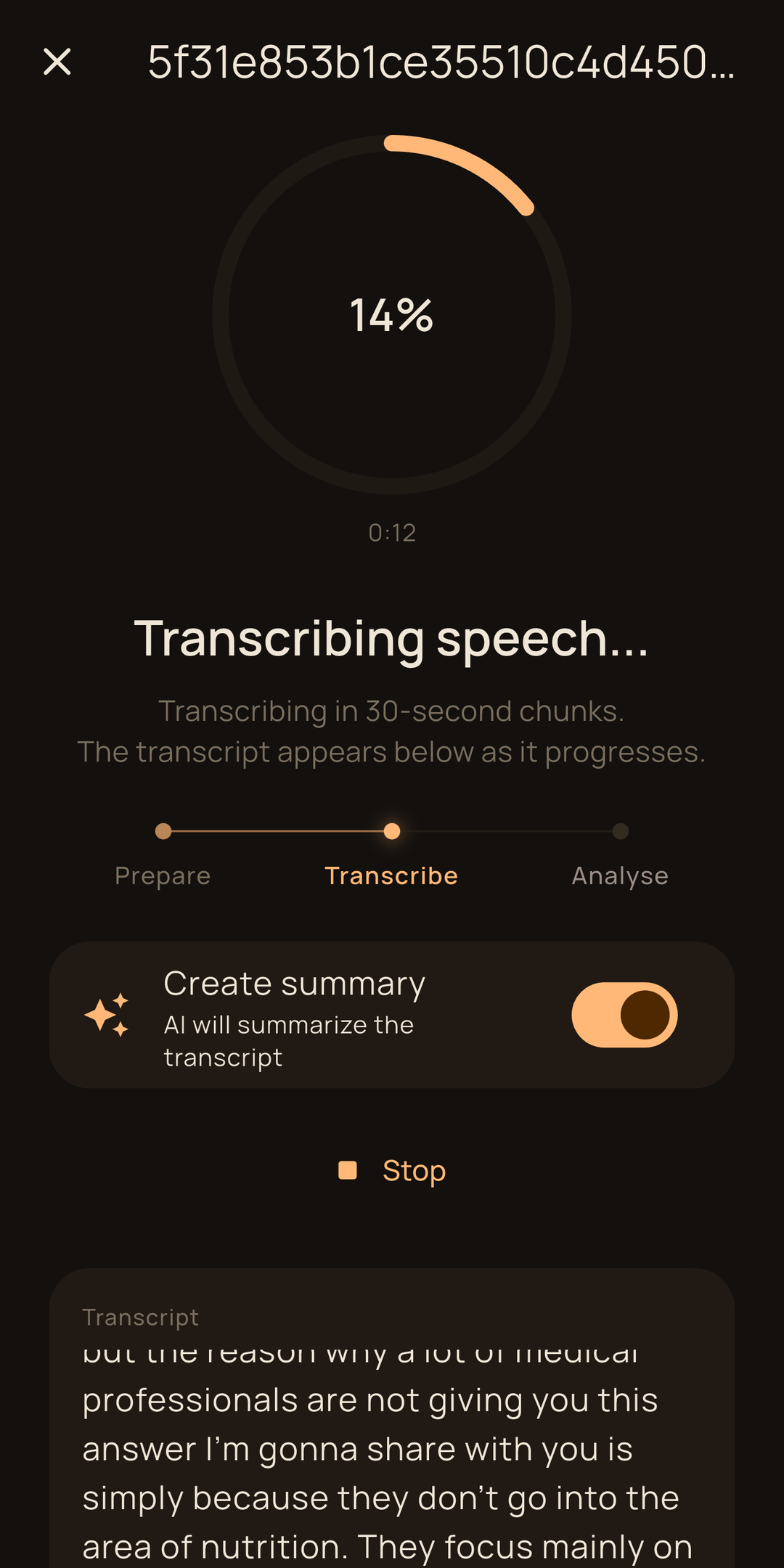
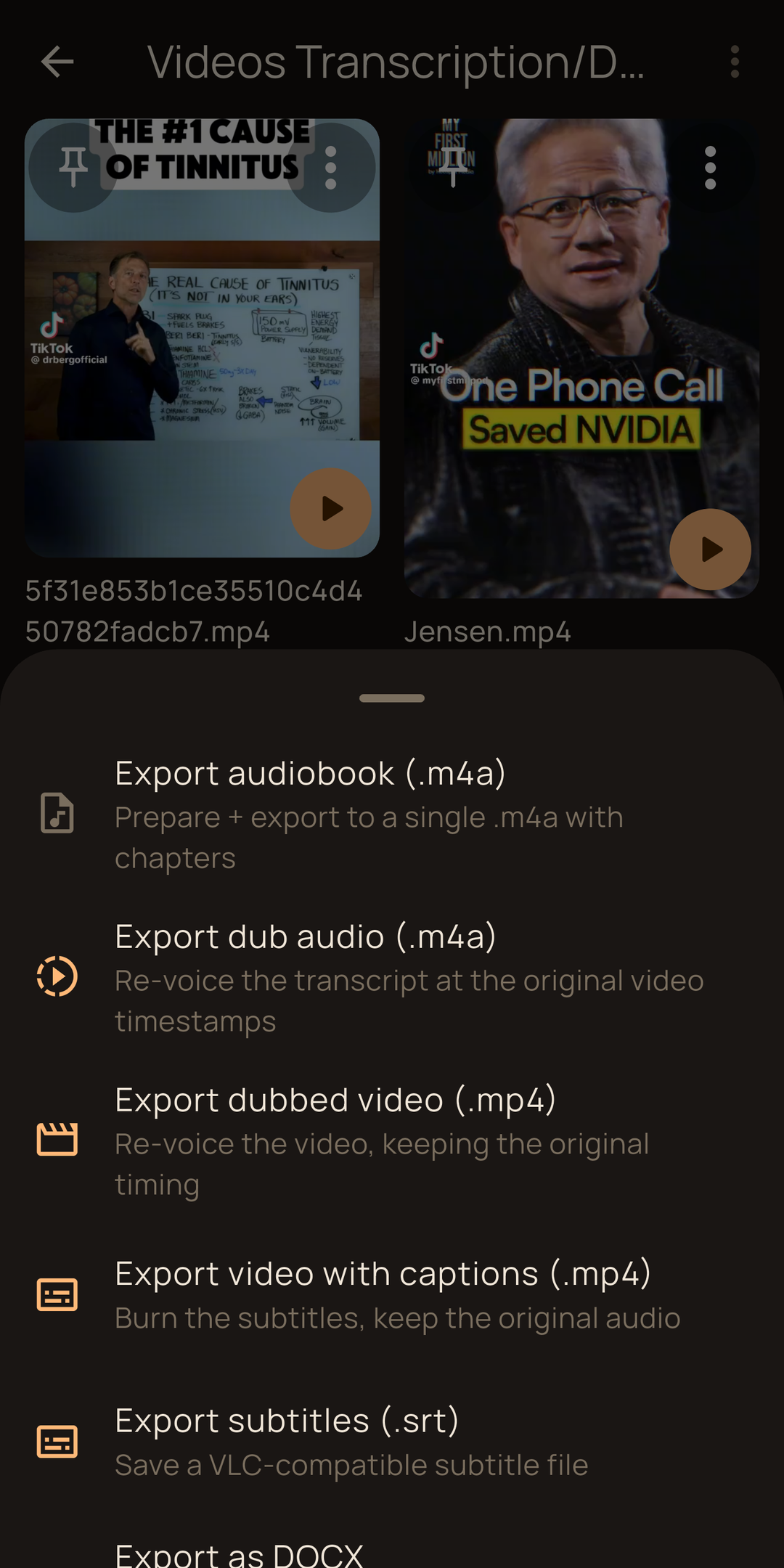
Transcribing a video: the transcript streams in live, in 30-second chunks Export options: audiobook, dub audio, dubbed video, captions, .srt subtitles and DOCX
🎙️

Video transcription & dubbing

Import any video and transcribe it locally, the transcript streams in live, in 30-second chunks. It runs with the screen off and resumes if interrupted, exports to DOCX or subtitles, and can dub the video with a new voice. Correct the transcript first and the dub, the burned-in subtitles and the .srt all speak the corrected text. Pick a voice in another language and the dub is translated; keep the original untouched if you prefer, with no quality loss. No upload, no server, works offline.

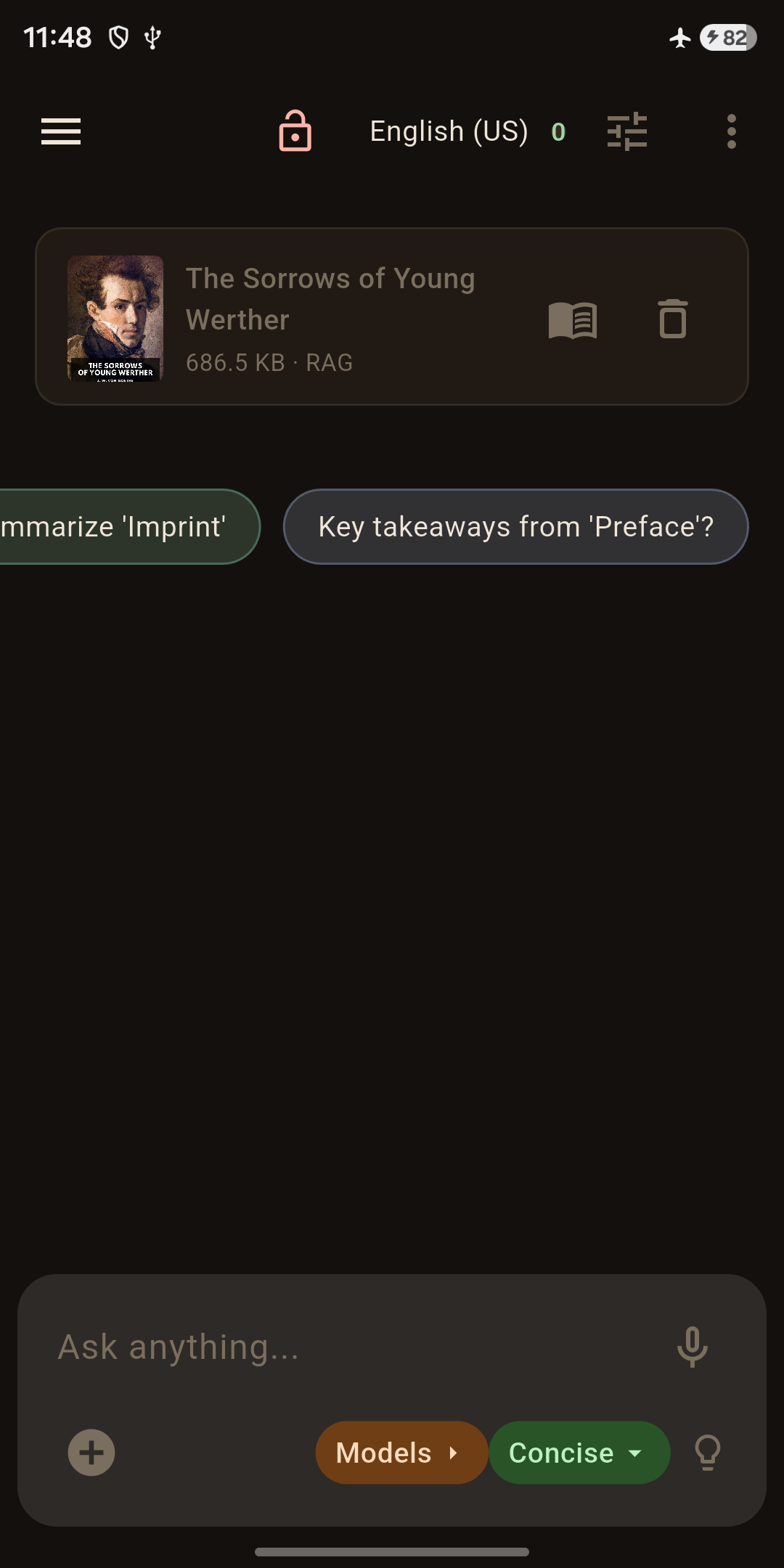
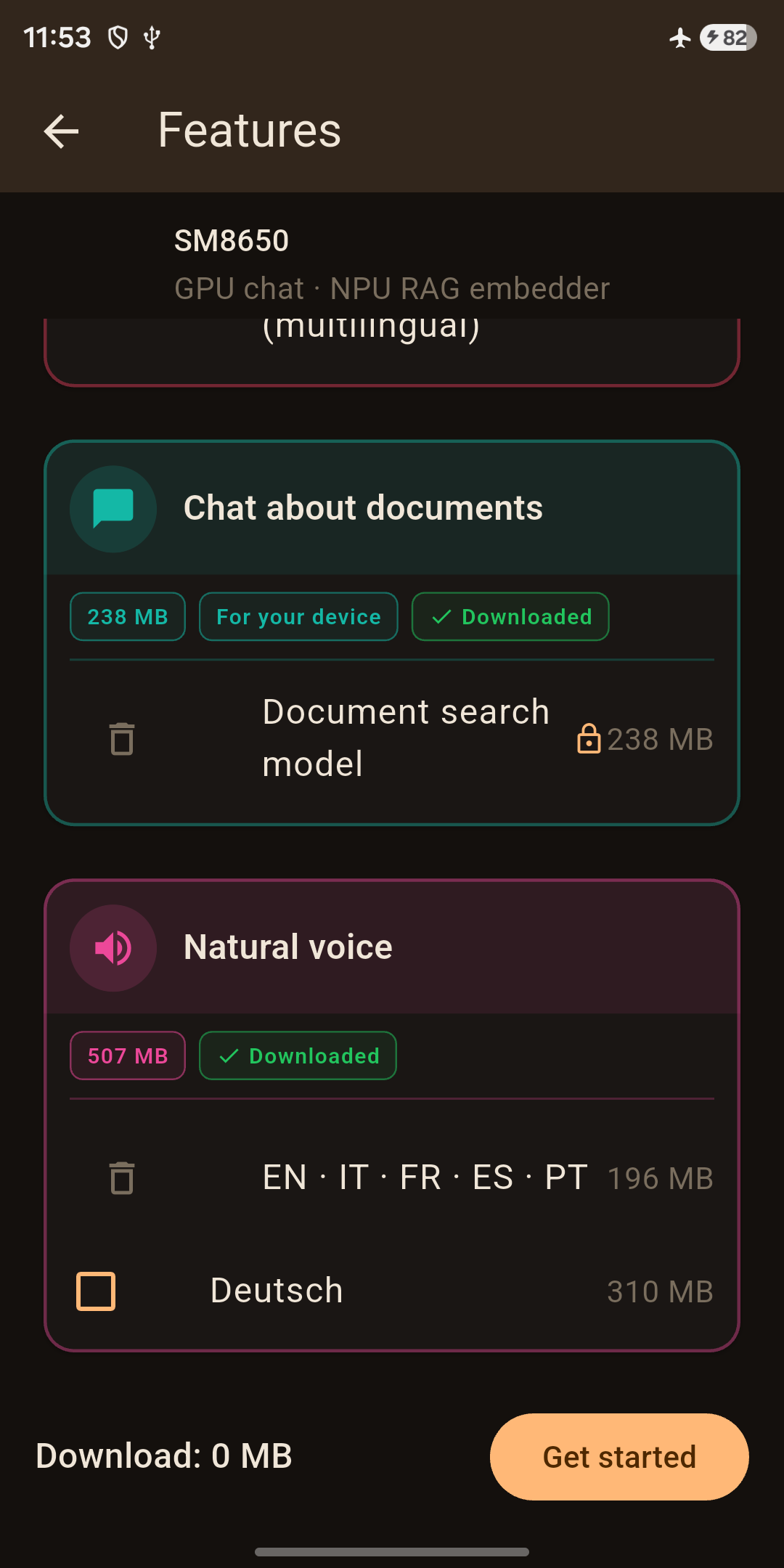
Ask AI answering what Pride and Prejudice is about, from the attached book Features screen: AI chat, audio transcription, chat about documents, natural voice and plugins, with downloads
🔎

RAG : chat with your documents

Ask questions and get answers grounded in your own books, PDFs and videos, including videos you transcribe or import. Document search is NPU-accelerated on Qualcomm, Google Tensor and MediaTek, with a CPU fallback elsewhere, and fully offline.

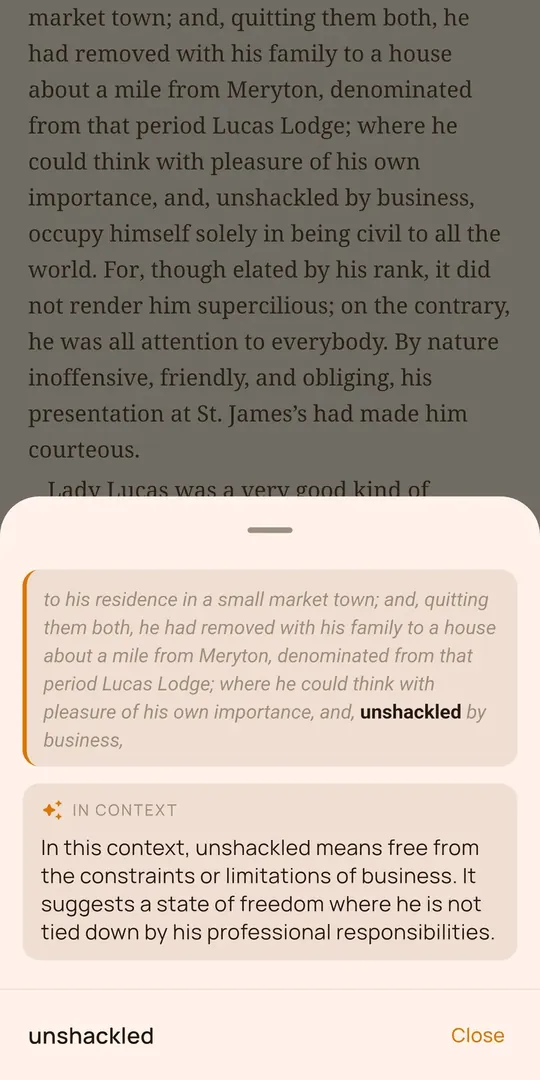
Word lookup in Kenosis AI: the on-device model explains unshackled in its sentence Bookmarks, highlights and notes kept per book in Kenosis AI
✍️

Word tools & study

Long-press a word in a book to copy or share it, highlight it in five colours, attach a note, or look it up in the offline English dictionary, downloaded once, then it works with no internet at all. Ask your on-device model what the word means in the sentence you are reading. Highlights, notes and bookmarks are saved per book, and the reader can suggest teacher-style starter questions from the text.

Private by architecture

Most apps say "we value your privacy" in tiny grey text. Kenosis AI proves it, in the Android manifest.

No INTERNET permissionAndroid enforces it: the app cannot make a network connection even if it wanted to. A CI gate fails the build if it ever appears.
No storage permissionsFiles are accessed through Android's Storage Access Framework. The app reads only the file you pick, then keeps an encrypted copy in its private storage.
No telemetryZero analytics, zero tracking, no accounts. Airplane mode works fine.
Encrypted at restYour library is encrypted on disk. Keys are hardware-backed where the device supports it and software-backed otherwise, a lost phone doesn't simply hand over your files.
Privacy lockOne switch blocks screenshots and screen recording, gates copy and export, and can use a built-in keyboard. It also warns you when an accessibility service is active.
PIN lockEnabling privacy lock sets a 4-digit app PIN you enter on each cold start; disabling it requires the PIN. Off by default.
PermissionDeclared?Why
INTERNET✗ absent, intentionallyApp cannot phone home; Android enforces this
READ / WRITE_EXTERNAL_STORAGE✗ absentStorage Access Framework instead, you pick the file
CAMERA✗ absentVideo comes in via share intent
CONTACTS / LOCATION✗ absentNo social or location features
RECORD_AUDIO✓ declaredOnly when you start voice or dictation; a microphone foreground service keeps the session alive with the screen off
POST_NOTIFICATIONS✓ declaredCompletion notices for long on-device jobs
WAKE_LOCK✓ declaredKeeps the CPU working during transcription, indexing and read-aloud; released when the job ends

Foreground-service entries (FOREGROUND_SERVICE, FOREGROUND_SERVICE_MICROPHONE, FOREGROUND_SERVICE_DATA_SYNC) and VIBRATE support those long-running jobs. None of them grant network access, INTERNET is still absent.

FAQ

Does it really work offline?

Yes, completely. The app ships without the Android INTERNET permission, so it cannot connect to anything. Transcription and analysis both run on-device. Airplane mode is fine. See how it compares with the five most popular offline AI apps →

Where do the AI models come from?

Gemma 4 E2B and E4B for chat, MiniCPM 5 1B as the floor model, Whisper for transcription, plus read-aloud voices, document search and on-demand pronunciation dictionaries. They are downloaded once via Play Store, on your terms, and stored locally. MiniCPM 5 1B is deliberately small, it is the floor model, chosen so that a 4 GB-RAM phone runs chat, transcription, read-aloud and RAG; the voice assistant needs more than 4 GB and a Gemma 4 model.

How can an offline app search the web?

It can't, and that's the point. Web search comes from a separate, open-source plugin app: the host keeps no INTERNET permission, and the plugin shows a live log of every request it makes. By default you approve each search before it happens; automatic approval is optional.

What devices are supported?

Android 10+ phones. A 4 GB-RAM phone runs chat, transcription, read-aloud and RAG with the MiniCPM 5 1B floor model (a 793 MB on-demand pack); the voice assistant needs more than 4 GB and a Gemma 4 model. NPU-accelerated embeddings work on Qualcomm, Google Tensor (Pixel) and MediaTek SoCs; other devices fall back to CPU.

Is it free?

Yes, the app is free to download with a 14-day trial of all features. After the trial, keep using it with a monthly subscription that renews automatically unless cancelled, or pay once for a lifetime licence. No account either way.

How do I report a bug?

Email us, see the "Report a bug" link in the footer. Please include your device model, Android version, and what you were doing when the bug happened.

Why is the transcript better than auto-captions?

It's running on your device, no server round-trip, works on videos that never had captions, and you keep the full transcript in your files library. Export it as subtitles, or use it to dub the video with a new voice (for example, to replace the original voice), translated if you pick a voice in another language.

Can I import my own audiobook?

Yes, a single MP3 or AAC file, or a ZIP. The book follows the voice: the narrated sentence is highlighted as you listen, chapters become playable while the rest transcribes in the background, and stopping is only a pause, playback resumes exactly where it left off. Nothing is uploaded.

What languages does the app run in?

English, German and French, every screen, menu and message, with your choice remembered. Legal documents remain in English.
New in 1.9.37, the reader, rebuilt: footnotes, a Contents view, your own fonts. Read the 1.9.37 release notes →

Install it. Turn off the internet. It still works.

Get it on Google Play

Free download · 14-day trial · monthly or lifetime · no account either way.